


NFEPM
Non-Financial Engagement and Project Management
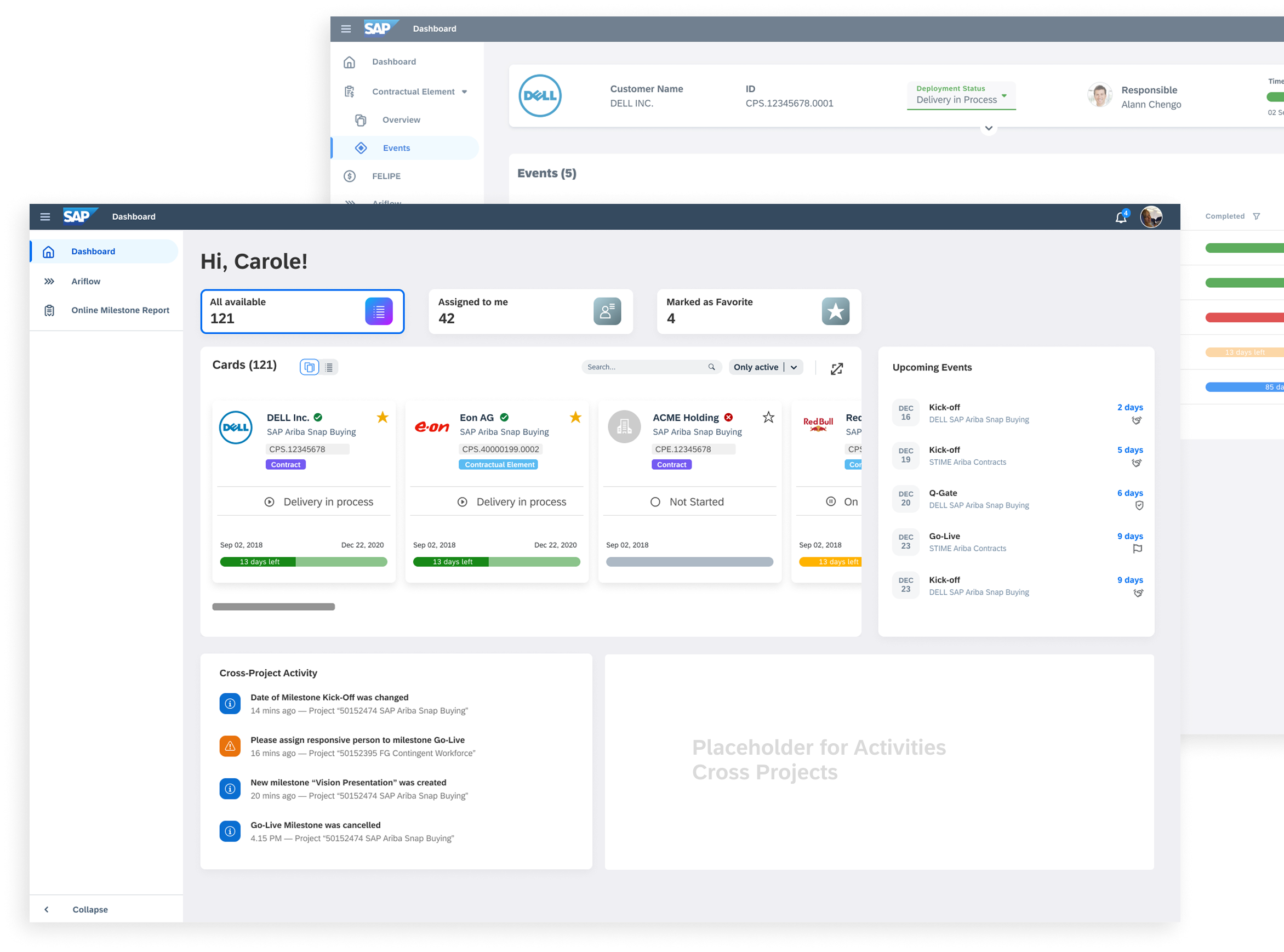
It is a new project management application to replace the ppm system including a delivery health check, milestones, solution scope, status management and task management.
My Role
Product Designer:
Scope framing, flows, IA, wireframes → high-fidelity Fiori UI, prompt/UX for AI, validation plan, and demo build guidance.
Goals
- Improve team productivity and project tracking accuracy
- Centralize key project data for better decision-making
Type
Internal POC
Users
- Mural
- Figma
- Jira
- Confluence
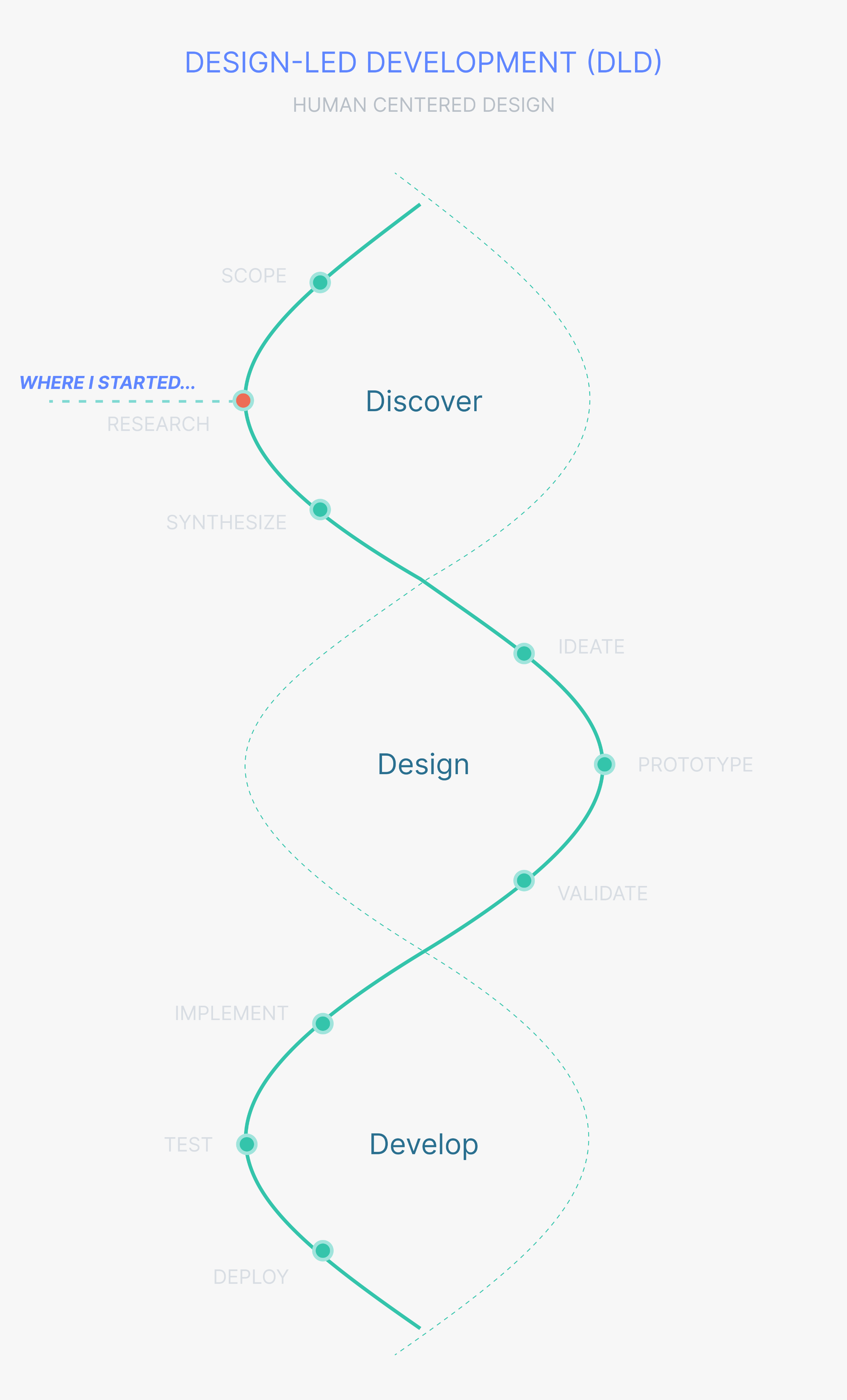
SAP is committed to designing role-based applications that support end users across all lines of business, tasks, and devices. Design-led development builds on proven design thinking methods to deliver an optimal user experience.
Building software is more than writing code—it’s about solving the right problems with innovative solutions, while putting the user first. That’s why we start by exploring business challenges and identifying innovation opportunities.
In the Discover phase, we aim to understand end users, their working methods, and their needs in depth. Only then do we move into the Design phase, where we translate insights into early concepts and prototypes ready for development. Finally, in the Deliver phase, the solution is implemented and tested—so it can be confidently deployed and run at the customer site.
The challenge
The hardest part wasn’t just speed—it was timing. We needed research insights quickly, but the app wasn’t fully approved yet. Design and discovery had to move forward while business development worked to prove the value: delivery health checks, milestone control, scope clarity, status tracking, and task management.
My Role
I have participated in the discovery phase of the project. My main responsibilities were organizing end users' interviews, preparing surveys, creating personas and low-fidelity mockups, also participating in the workshops with business.
Agile design process
Scrum Framework
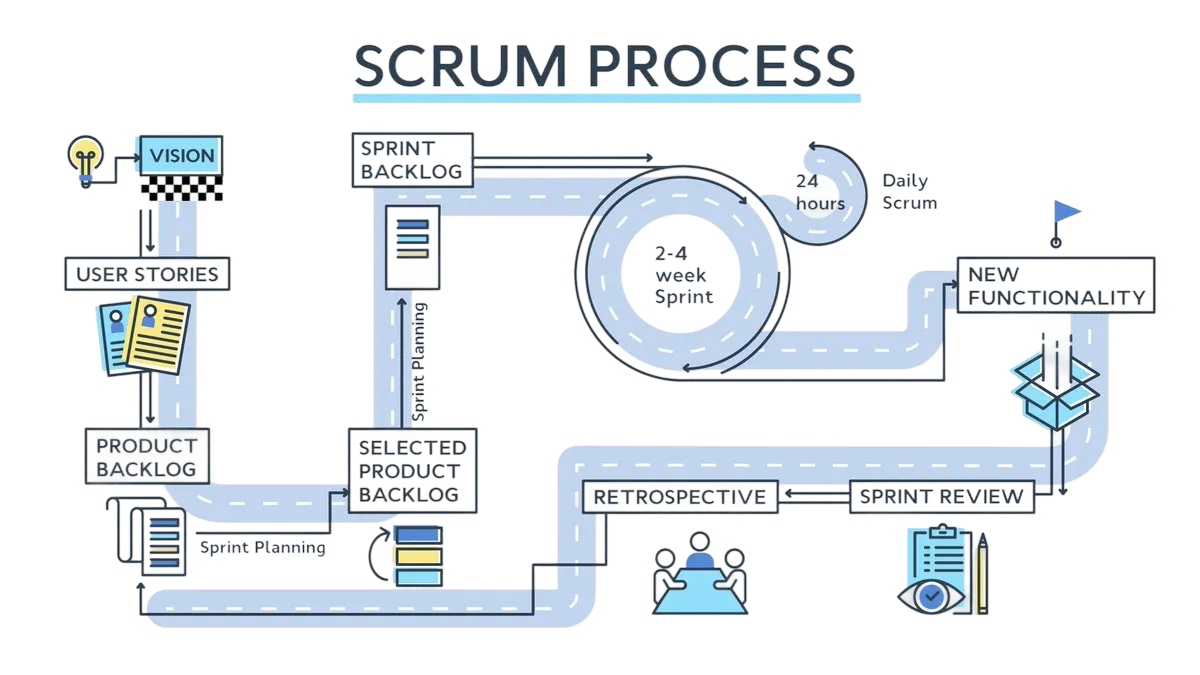
Our team worked according to the Scrum methodology. Thanks to Scrum, the time for finding errors and explaining problems was reduced, each team member clearly knew his task and there was also an open exchange of information.
We have started with design roadmap and had about 1,5 months the conduct end-user's interviews to get to know the relevant insights and observe their daily work. Lead designer and I have started with identifying the end-users who should be participated in the interviews. In order to clearly understand all the business roles involved, also their typical tasks and pain points, sequence of activities we have organized the user interviews, all the notes, and follow-ups we have documented in the MURAL and Confluence.
Unfortunately, key research insights can’t be shared due to NDA restrictions.
Personas
According to the results of user interviews and additional surveys, I have created 4 user personas for the different roles in the application.
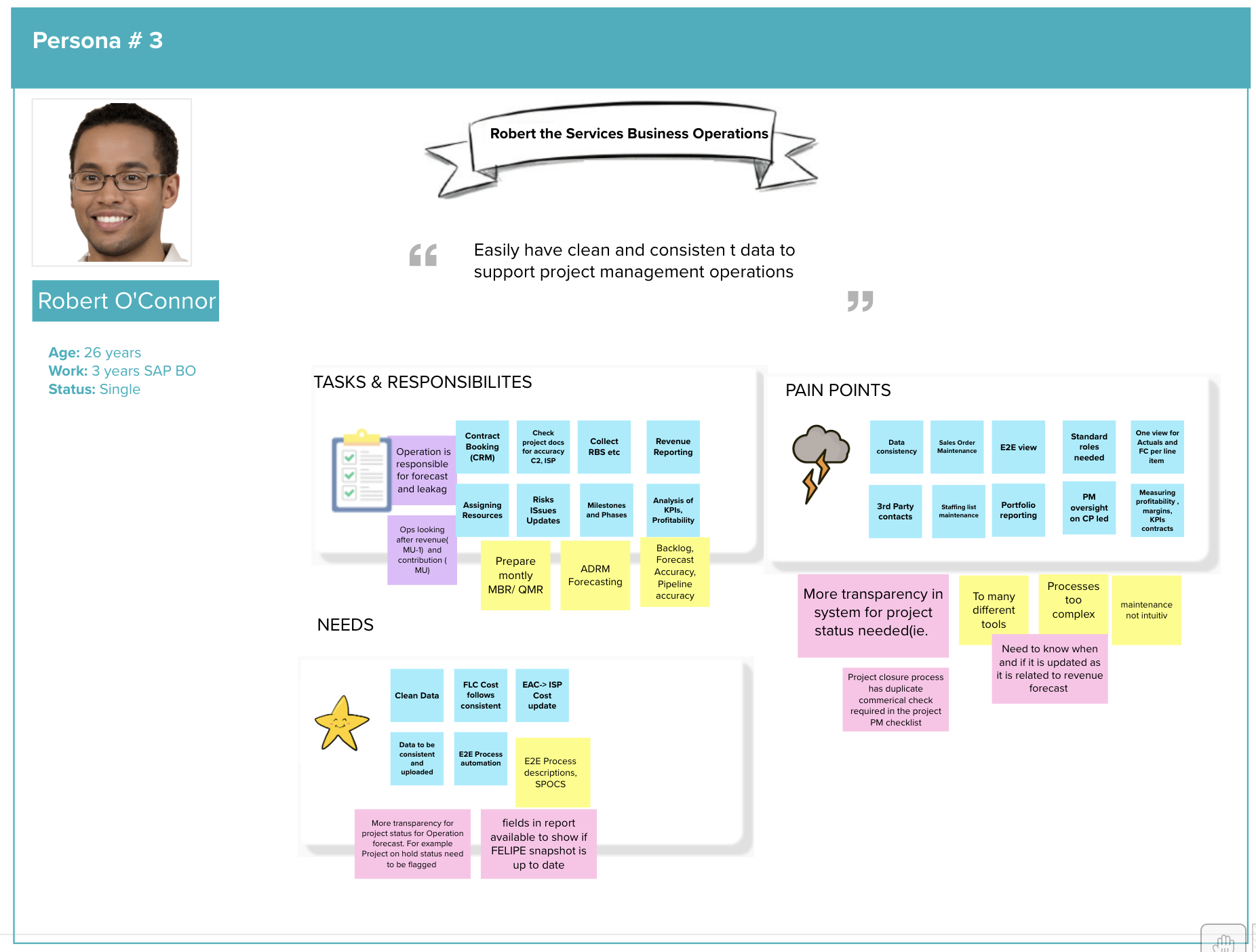
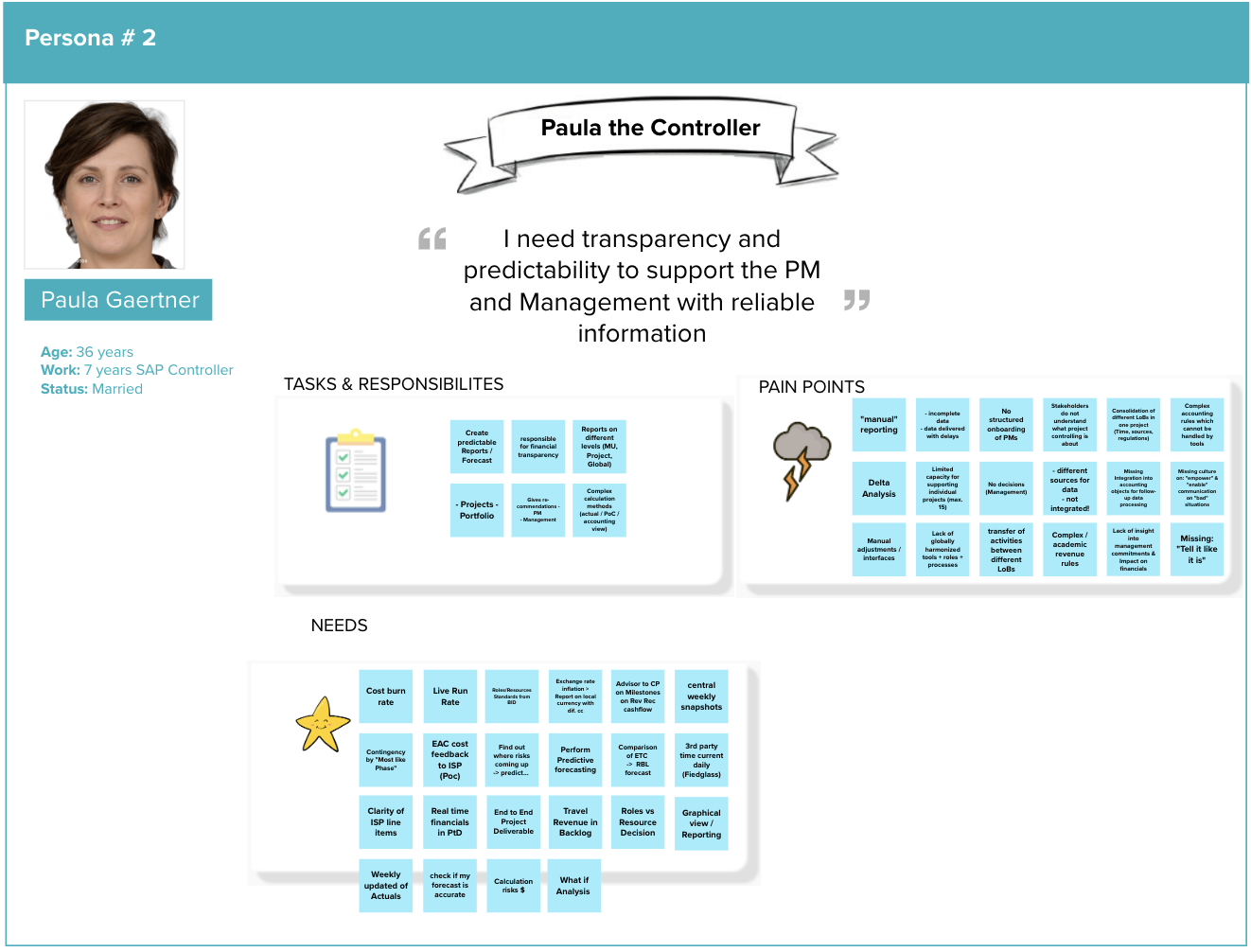
Based on the personas and their roles, we created user stories that captured real needs and key actions.
Let’s walk through two of them to see how this translated into actions.
- Delivery Manager Path
- The Delivery Manager lands on the Dashboard and reviews items at the Project Header level.
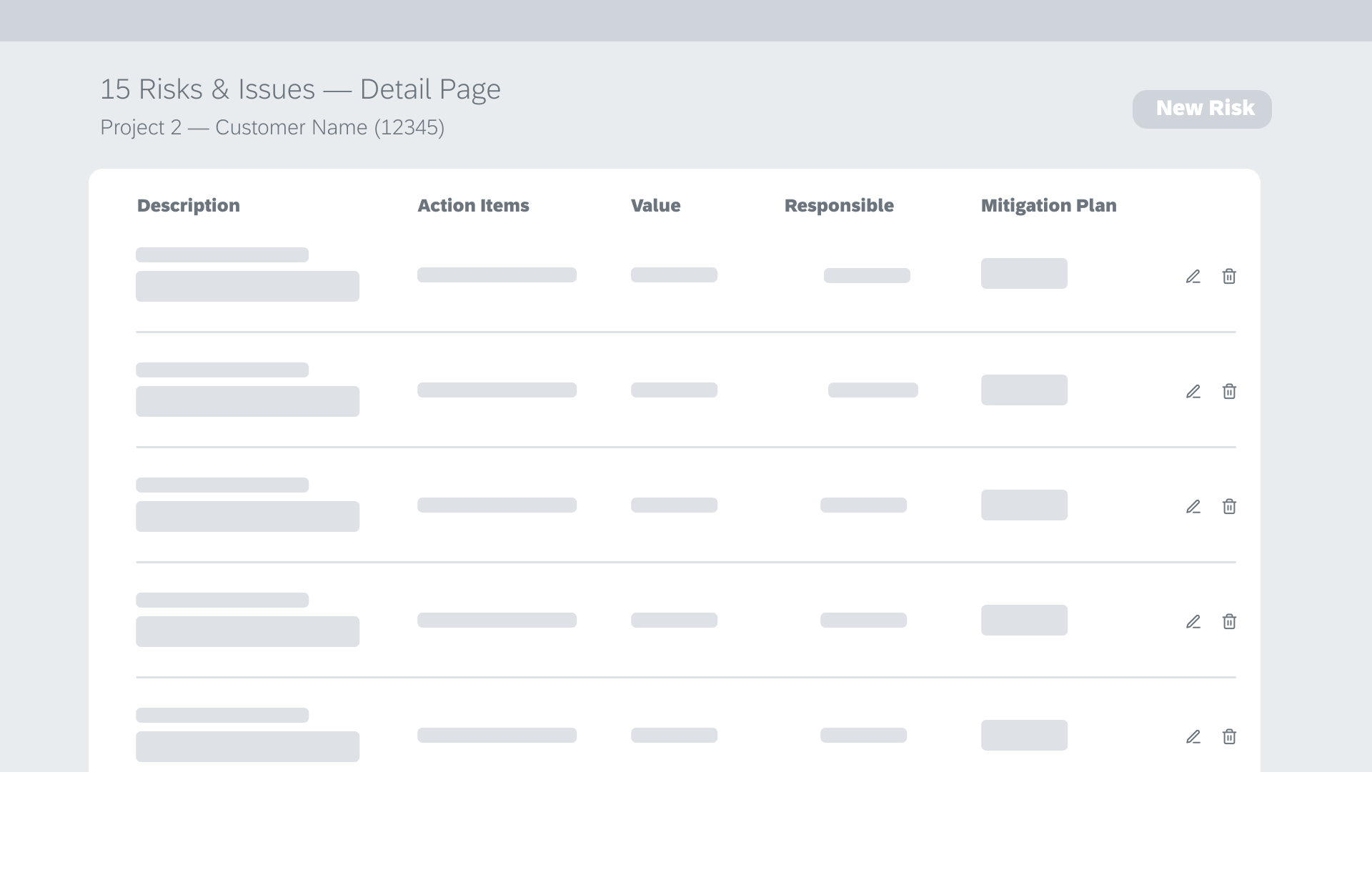
- Selecting a project opens the Overview (Project Detail Page), where high-level project information is presented.
- From this page, the user can access related elements (e.g., contractual components, milestones, checklists, scope)—with navigation behavior kept consistent and predictable across the experience.
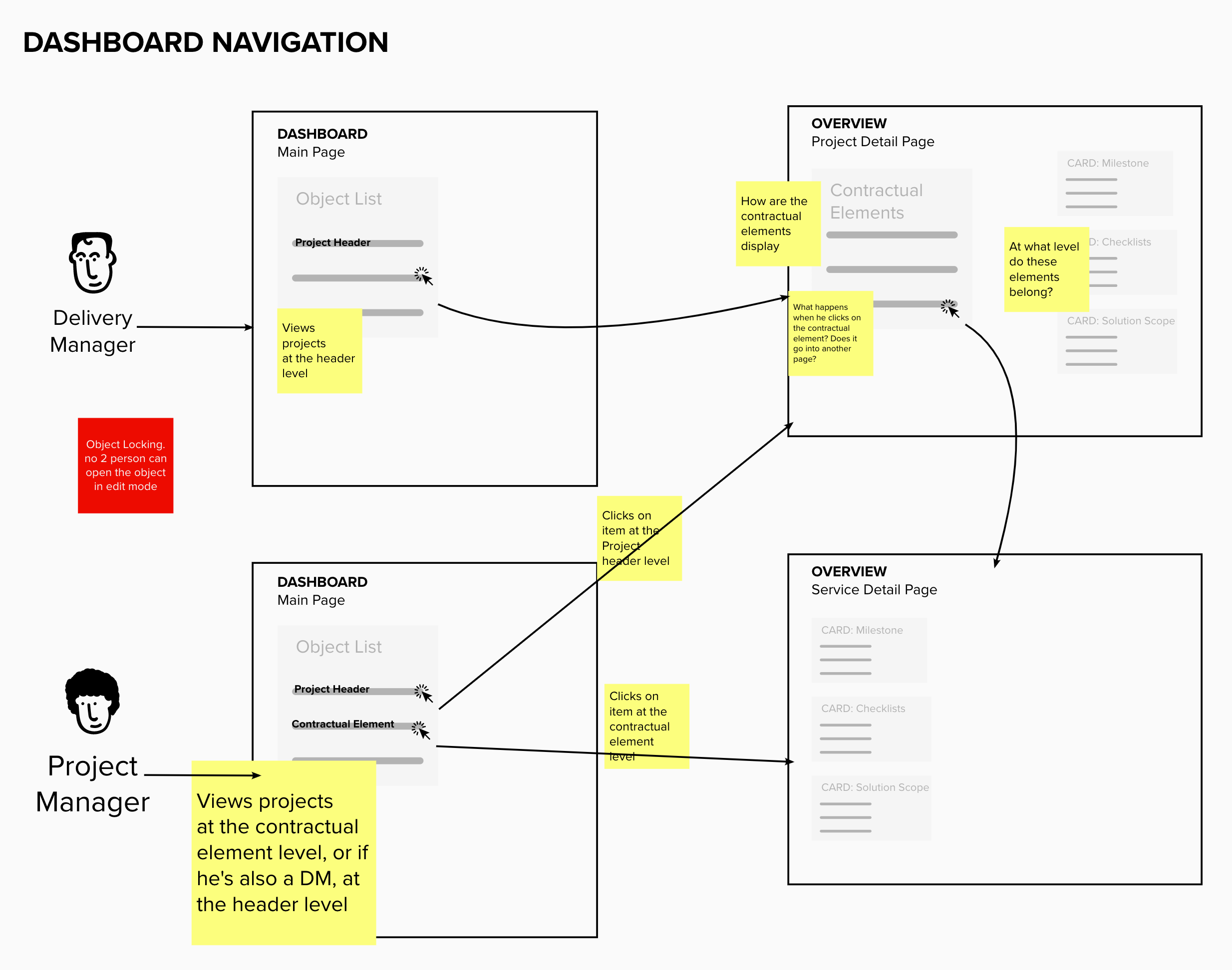
- Project Manager path
- The Project Manager lands on the same Dashboard, but typically works one level deeper.
- They can view and select items at the Contractual Element level (and if they also have Delivery Manager responsibilities, they may view the Project Header level as well).
- Selecting a contractual element opens the Overview (Service/Element Detail Page), focused on execution details for that specific element (e.g., milestones, checklists, scope).
SKETCHING
DESIGN
Project Manager Dashboard
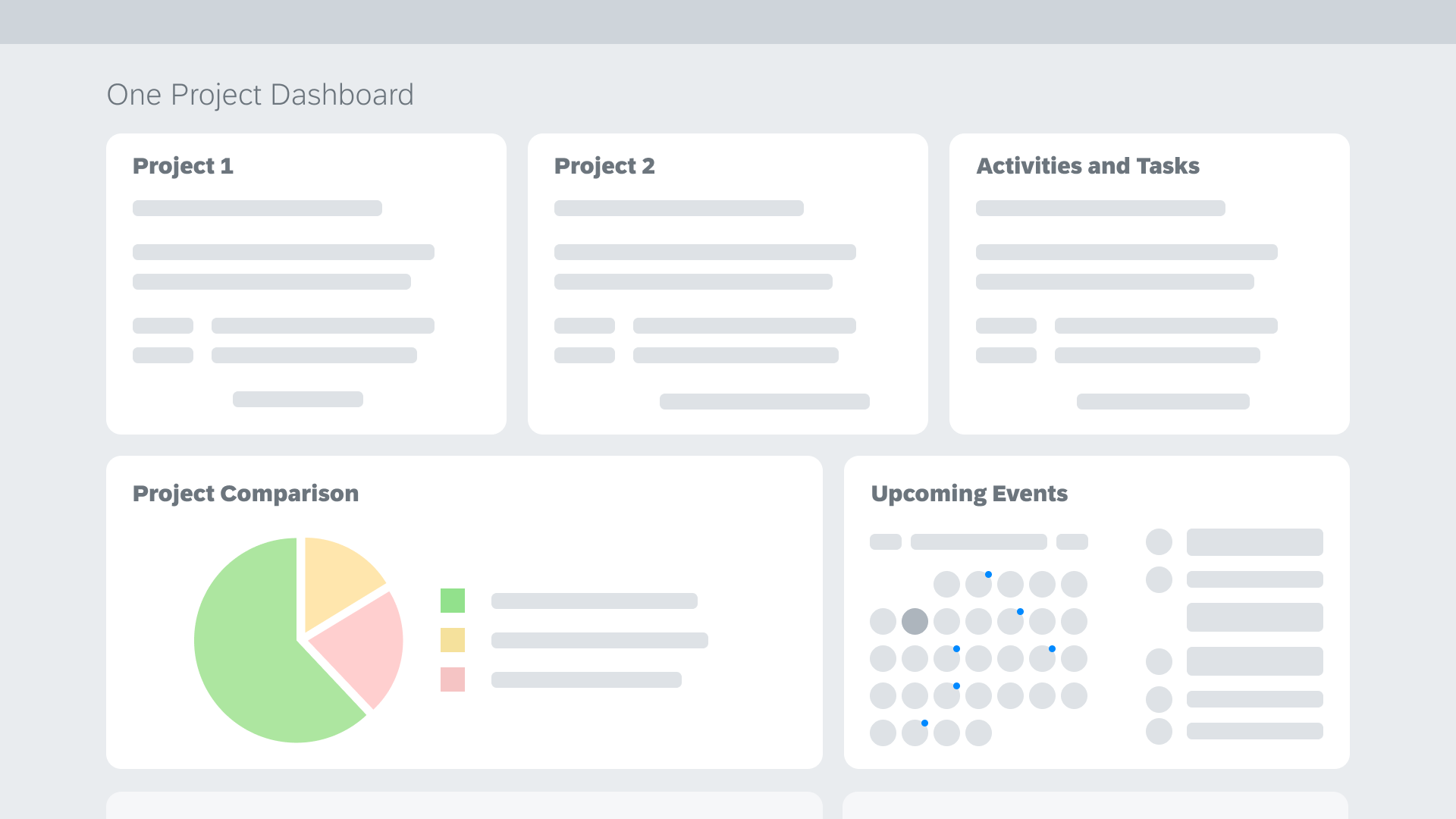
Project Landing Page
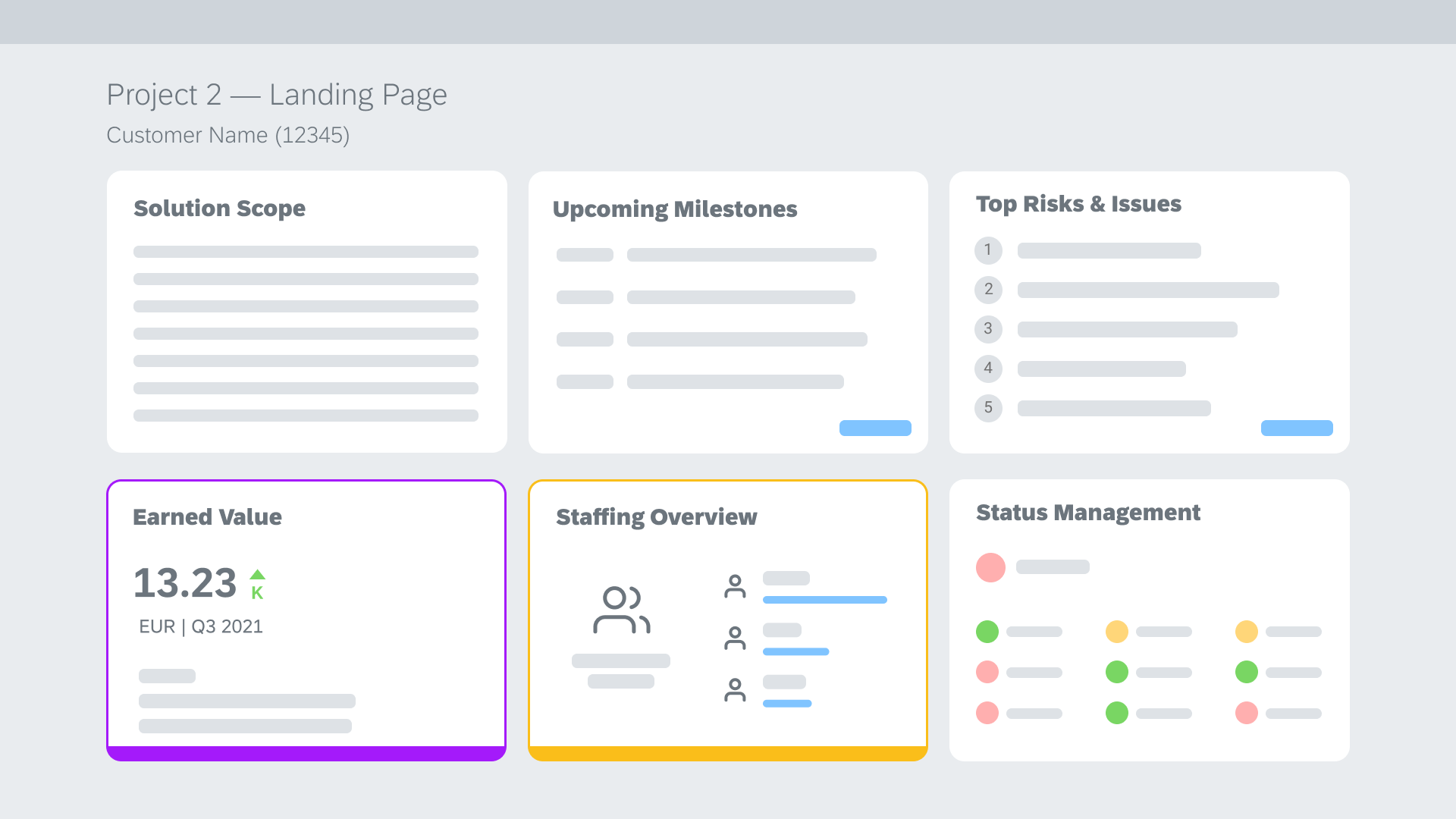
Project Detail Page
HIGH-FIDELITY MOCK-UPs
Dashboard. Card view
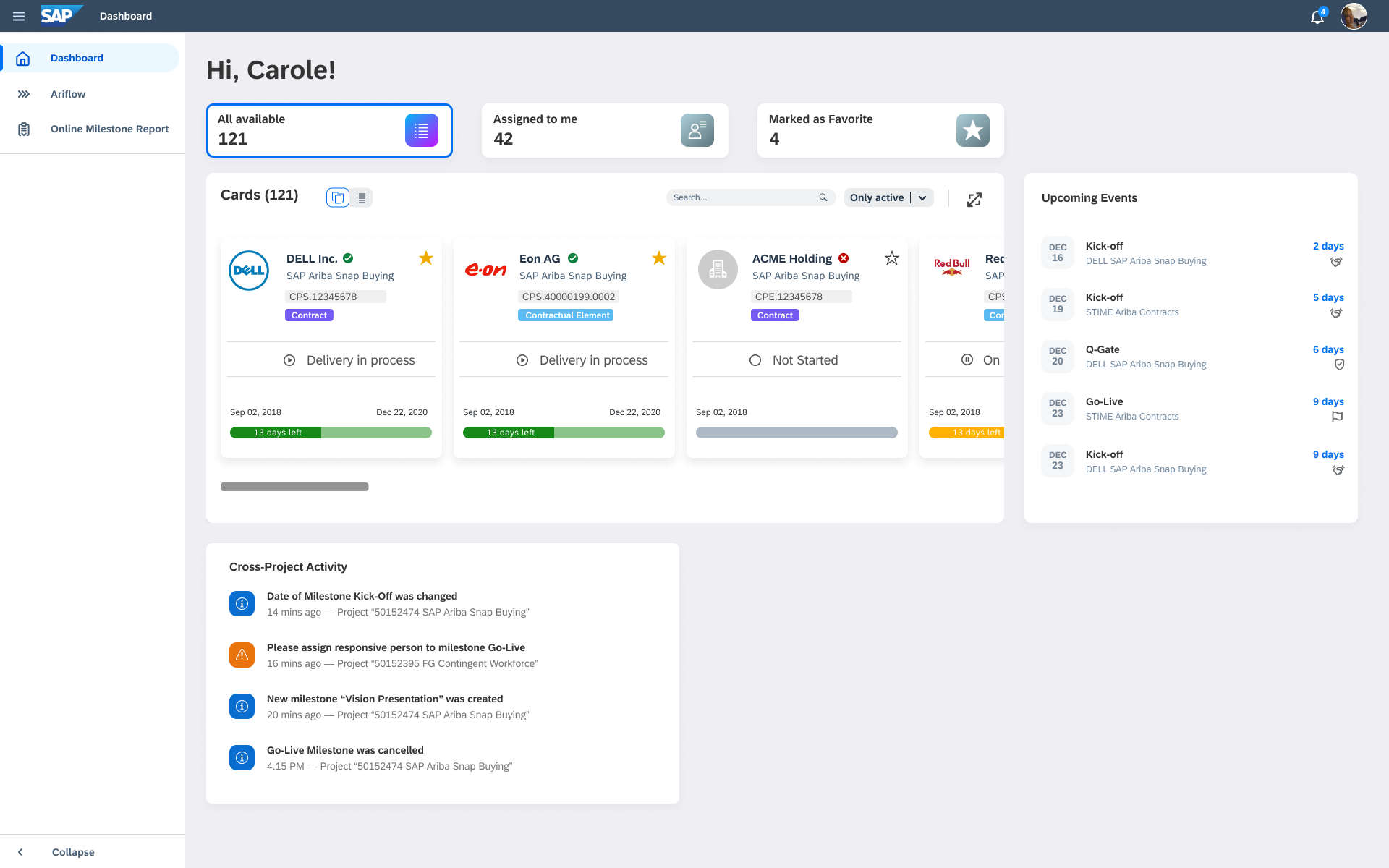
Dashboard. Table view
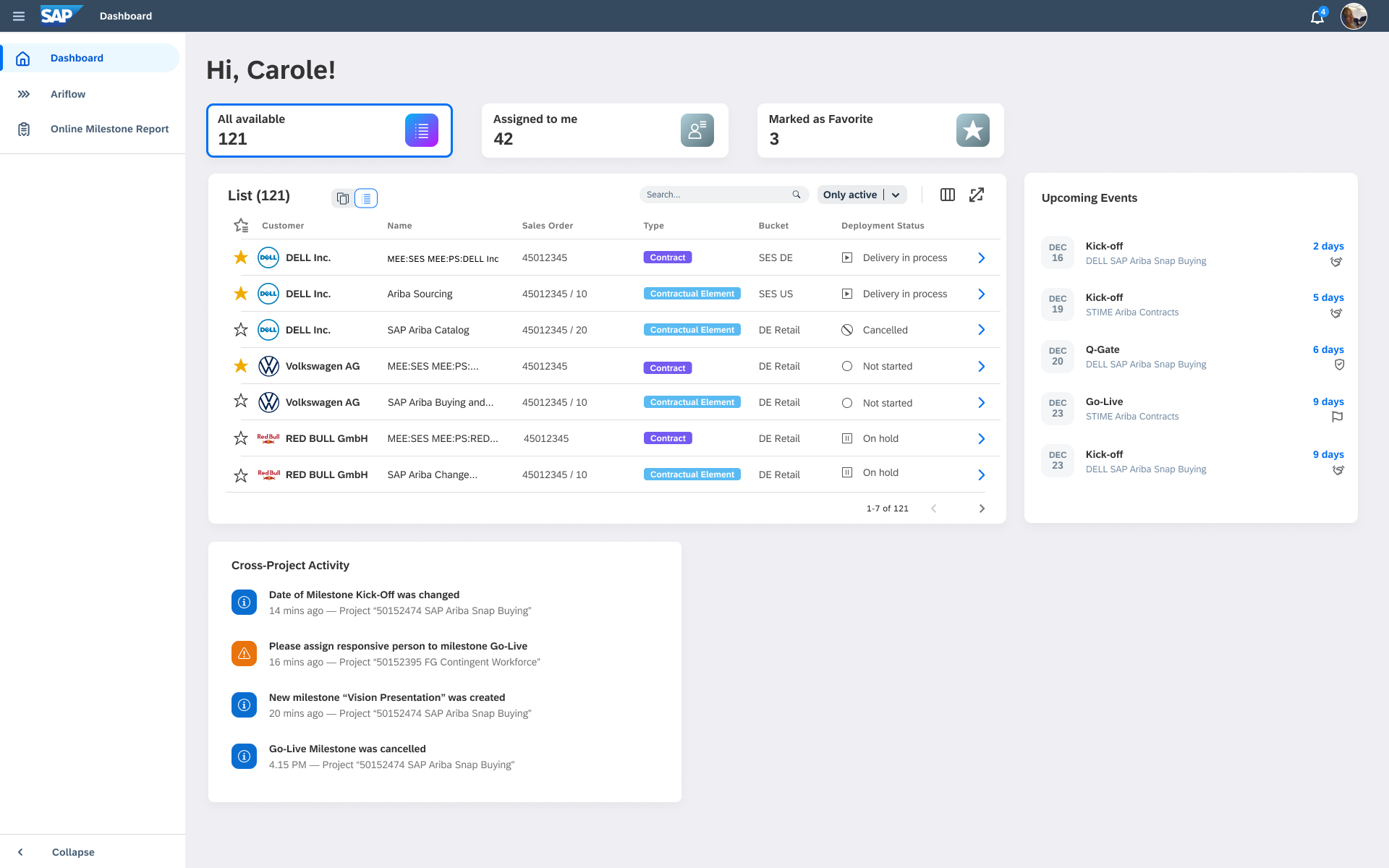
Dashboard. Table view. Full table
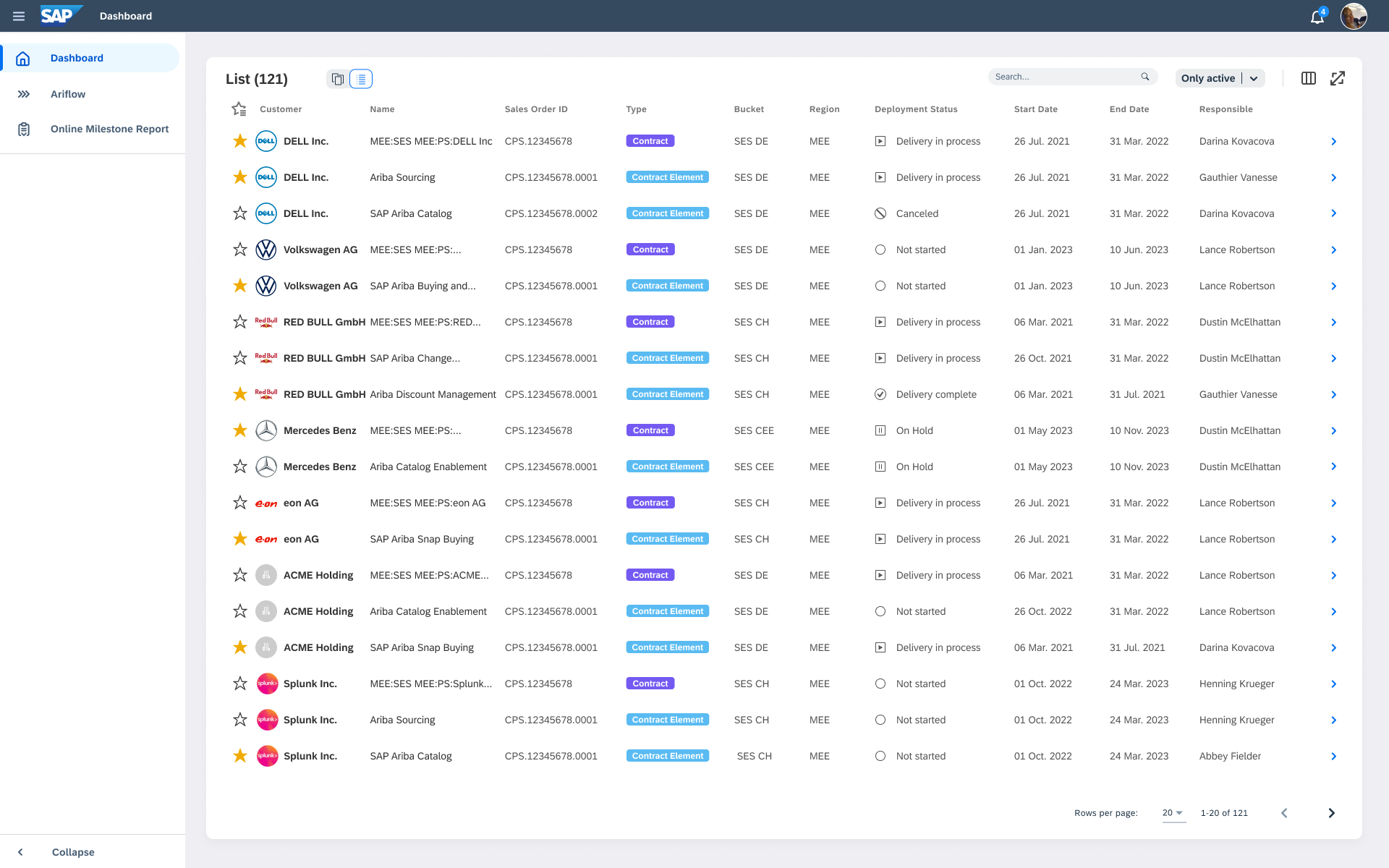
I mapped and designed all view states end-to-end to ensure consistent behavior across the product.
Details. Default
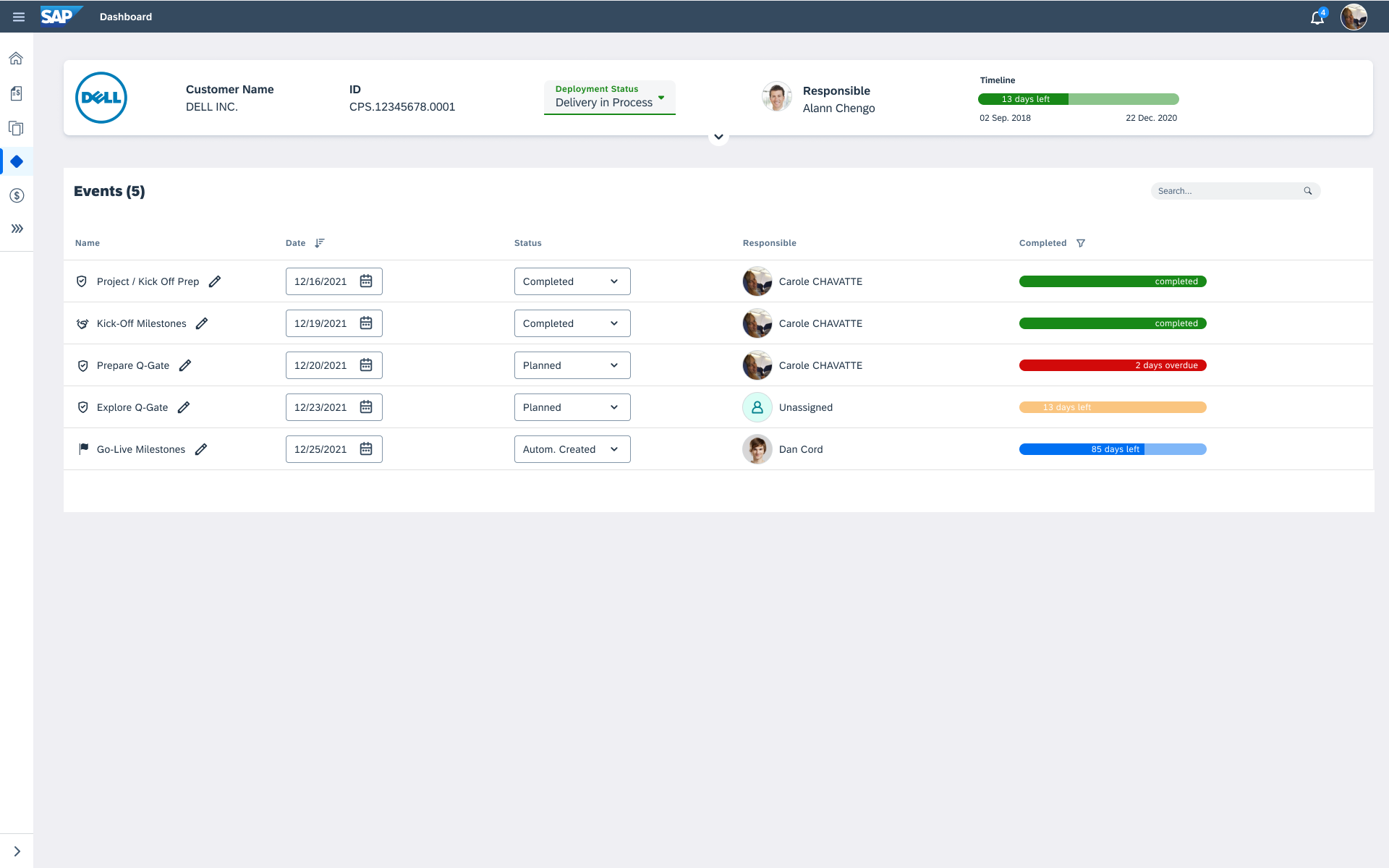
Details. Navigation Expanded
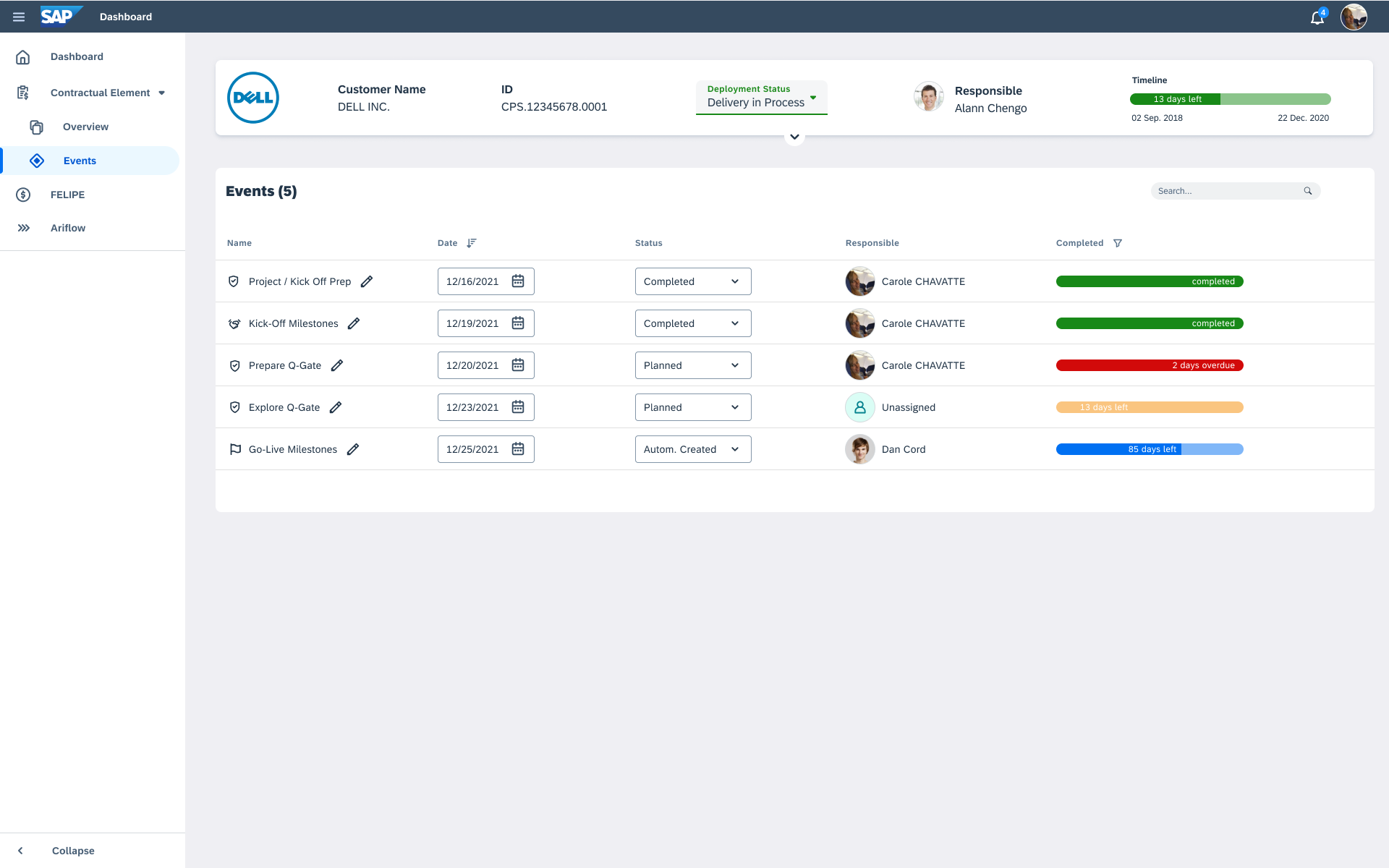
Details. Navigation and Header Expanded
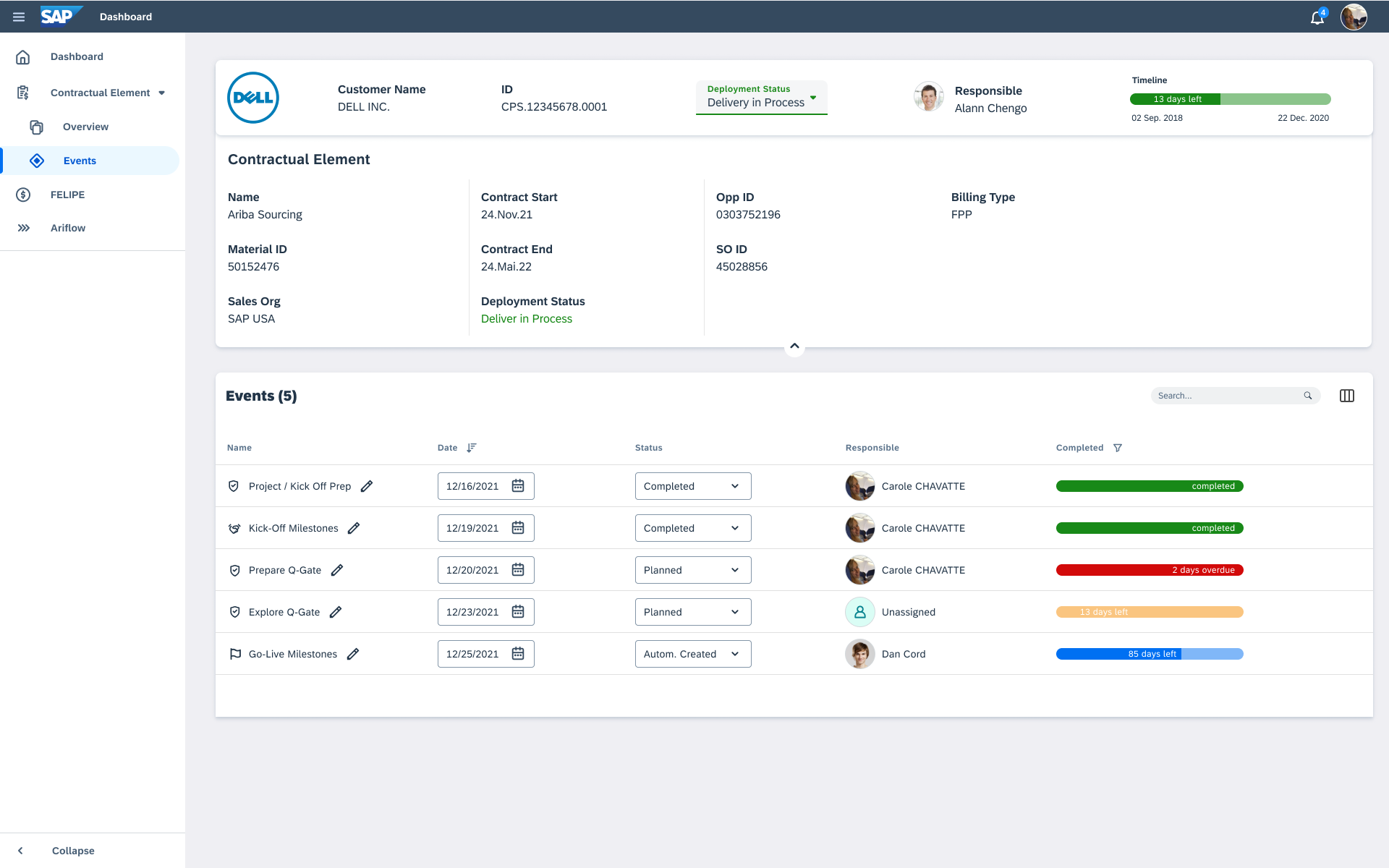
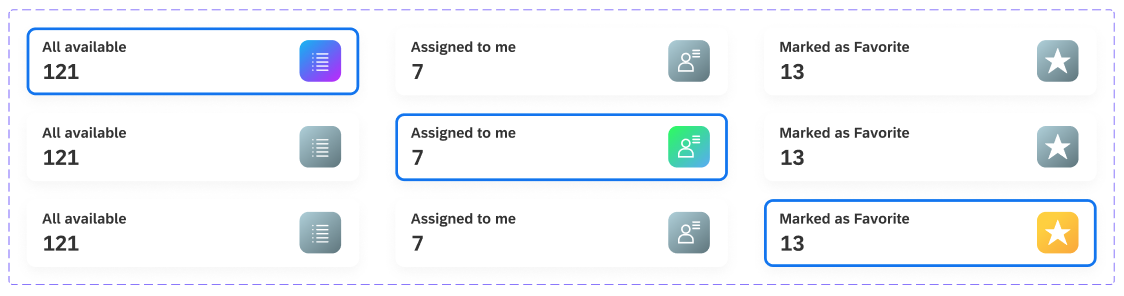
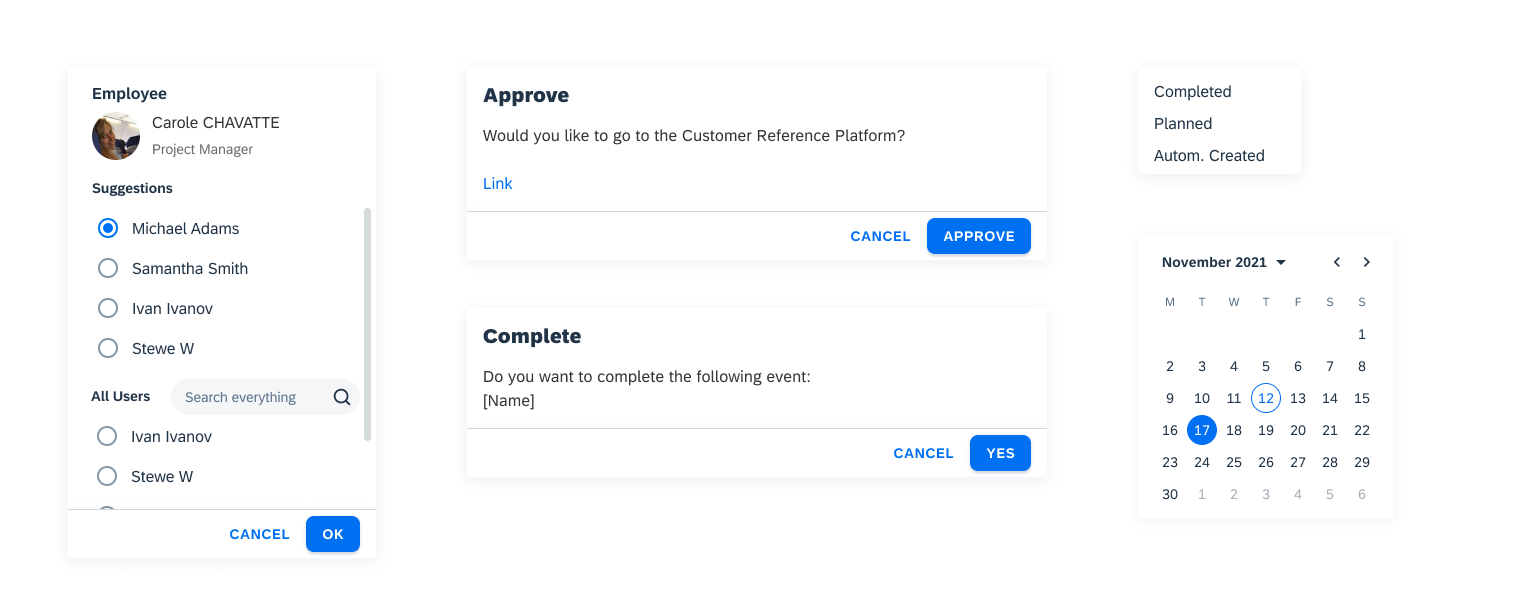
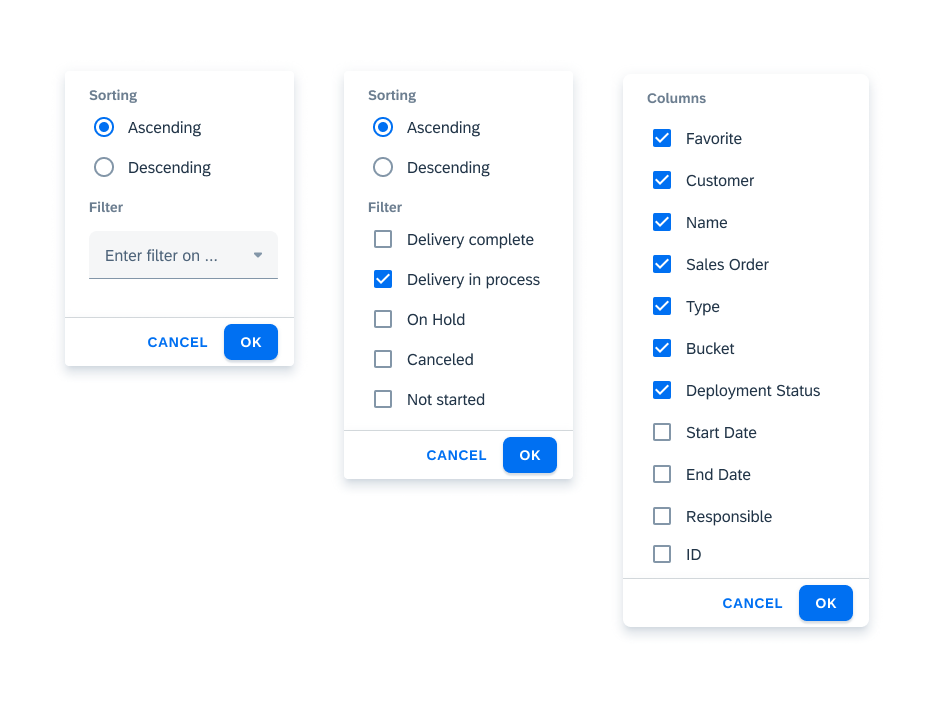
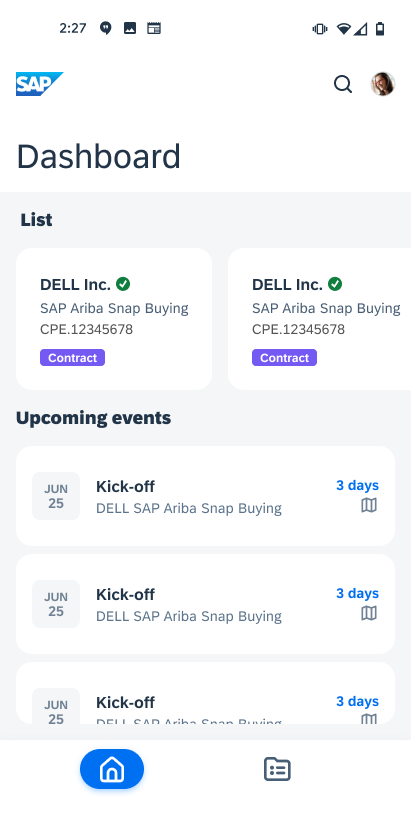
Some UI Components & States
We followed SAP Fiori guidelines and introduced minimal changes to better fit the specific workflow.
It helped us quickly scale the same UI patterns from desktop to mobile.
Unfortunately, I had to leave the project when I relocated to the U.S. However, based on follow-ups with my former colleagues, the solution was well received and delivered clear benefits:
- Improved team alignment through real-time updates and role-based dashboards
- Reduced delays by streamlining task and milestone tracking
Previous Case
Next Case

NFEPM
Non-Financial Engagement and Project Management
It is a new project management application to replace the ppm system including a delivery health check, milestones, solution scope, status management and task management.
Goals
- Improve team productivity and project tracking accuracy
- Centralize key project data for better decision-making
My Role
Product Designer:
Scope framing, flows, IA, wireframes → high-fidelity Fiori UI, prompt/UX for AI, validation plan, and demo build guidance.
Users
- Mural
- Figma
- Jira
- Confluence
Type
Internal POC
dESIGN-LED DEVELOPMENT (DLD)
development process
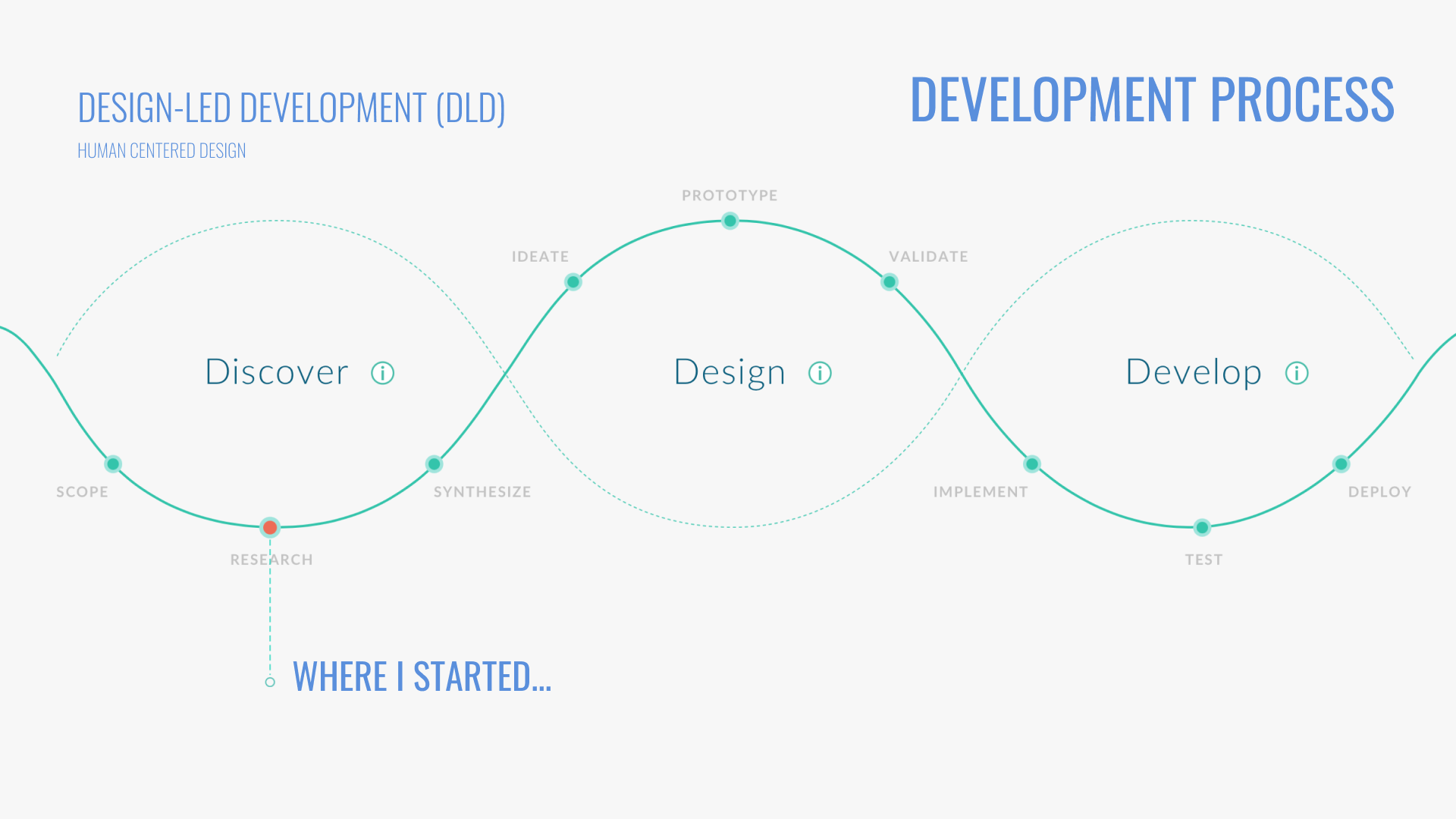
SAP is committed to designing role-based applications that support end users across all lines of business, tasks, and devices. Design-led development builds on proven design thinking methods to deliver an optimal user experience.
Building software is more than writing code—it’s about solving the right problems with innovative solutions, while putting the user first. That’s why we start by exploring business challenges and identifying innovation opportunities.
In the Discover phase, we aim to understand end users, their working methods, and their needs in depth. Only then do we move into the Design phase, where we translate insights into early concepts and prototypes ready for development. Finally, in the Deliver phase, the solution is implemented and tested—so it can be confidently deployed and run at the customer site.
The challenge
The hardest part wasn’t just speed—it was timing. We needed research insights quickly, but the app wasn’t fully approved yet. Design and discovery had to move forward while business development worked to prove the value: delivery health checks, milestone control, scope clarity, status tracking, and task management.
My Role
I have participated in the discovery phase of the project. My main responsibilities were organizing end users' interviews, preparing surveys, creating personas and low-fidelity mockups, also participating in the workshops with business.
Agile design process
Scrum Framework
Our team worked according to the Scrum methodology. Thanks to Scrum, the time for finding errors and explaining problems was reduced, each team member clearly knew his task and there was also an open exchange of information.
We have started with design roadmap and had about 1,5 months the conduct end-user's interviews to get to know the relevant insights and observe their daily work. Lead designer and I have started with identifying the end-users who should be participated in the interviews. In order to clearly understand all the business roles involved, also their typical tasks and pain points, sequence of activities we have organized the user interviews, all the notes, and follow-ups we have documented in the MURAL and Confluence.
Unfortunately, key research insights can’t be shared due to NDA restrictions.
Personas
According to the results of user interviews and additional surveys, I have created 4 user personas for the different roles in the application.
Based on the personas and their roles, we created user stories that captured real needs and key actions.
Let’s walk through two of them to see how this translated into actions.
- Delivery Manager Path
- The Delivery Manager lands on the Dashboard and reviews items at the Project Header level.
- Selecting a project opens the Overview (Project Detail Page), where high-level project information is presented.
- From this page, the user can access related elements (e.g., contractual components, milestones, checklists, scope)—with navigation behavior kept consistent and predictable across the experience.
- Project Manager path
- The Project Manager lands on the same Dashboard, but typically works one level deeper.
- They can view and select items at the Contractual Element level (and if they also have Delivery Manager responsibilities, they may view the Project Header level as well).
- Selecting a contractual element opens the Overview (Service/Element Detail Page), focused on execution details for that specific element (e.g., milestones, checklists, scope).
SKETCHING
DESIGN
Project Manager Dashboard
Project Landing Page
Project Detail Page
HIGH-FIDELITY MOCK-UPs
Dashboard. Card view
Dashboard. Table view
Dashboard. Table view. Full table
I mapped and designed all view states end-to-end to ensure consistent behavior across the product.
Details. Default
Details. Navigation Expanded
Details. Navigation and Header Expanded
Some UI Components & States
We followed SAP Fiori guidelines and introduced minimal changes to better fit the specific workflow.
It helped us quickly scale the same UI patterns from desktop to mobile.
Unfortunately, I had to leave the project when I relocated to the U.S. However, based on follow-ups with my former colleagues, the solution was well received and delivered clear benefits:
- Improved team alignment through real-time updates and role-based dashboards
- Reduced delays by streamlining task and milestone tracking
Previous Case
Next Case
Get in Touch

NFEPM
Non-Financial Engagement and Project Management
It is a new project management application to replace the ppm system including a delivery health check, milestones, solution scope, status management and task management.
Goals
- Improve team productivity and project tracking accuracy
- Centralize key project data for better decision-making
My Role
Product Designer:
Personas, User flows, wireframes → high-fidelity Fiori UI
Type
Internal SAP Project
Tools
- Mural
- Figma
- Jira
- Confluence
dESIGN-LED DEVELOPMENT (DLD)
development process
SAP is committed to designing role-based applications that support end users across all lines of business, tasks, and devices. Design-led development builds on proven design thinking methods to deliver an optimal user experience.
Building software is more than writing code—it’s about solving the right problems with innovative solutions, while putting the user first. That’s why we start by exploring business challenges and identifying innovation opportunities.
In the Discover phase, we aim to understand end users, their working methods, and their needs in depth. Only then do we move into the Design phase, where we translate insights into early concepts and prototypes ready for development. Finally, in the Deliver phase, the solution is implemented and tested—so it can be confidently deployed and run at the customer site.
The challenge
The hardest part wasn’t just speed—it was timing. We needed research insights quickly, but the app wasn’t fully approved yet. Design and discovery had to move forward while business development worked to prove the value: delivery health checks, milestone control, scope clarity, status tracking, and task management.
My Role
I have participated in the discovery phase of the project. My main responsibilities were organizing end users' interviews, preparing surveys, creating personas and low-fidelity mockups, also participating in the workshops with business.
Agile design process
Scrum Framework
Our team worked according to the Scrum methodology. Thanks to Scrum, the time for finding errors and explaining problems was reduced, each team member clearly knew his task and there was also an open exchange of information.
We have started with design roadmap and had about 1,5 months the conduct end-user's interviews to get to know the relevant insights and observe their daily work. Lead designer and I have started with identifying the end-users who should be participated in the interviews. In order to clearly understand all the business roles involved, also their typical tasks and pain points, sequence of activities we have organized the user interviews, all the notes, and follow-ups we have documented in the MURAL and Confluence.
Unfortunately, key research insights can’t be shared due to NDA restrictions.
Personas
According to the results of user interviews and additional surveys, I have created 4 user personas for the different roles in the application.
Based on the personas and their roles, we created user stories that captured real needs and key actions.
Let’s walk through two of them to see how this translated into actions.
- Delivery Manager Path
- The Delivery Manager lands on the Dashboard and reviews items at the Project Header level.
- Selecting a project opens the Overview (Project Detail Page), where high-level project information is presented.
- From this page, the user can access related elements (e.g., contractual components, milestones, checklists, scope)—with navigation behavior kept consistent and predictable across the experience.
- Project Manager path
- The Project Manager lands on the same Dashboard, but typically works one level deeper.
- They can view and select items at the Contractual Element level (and if they also have Delivery Manager responsibilities, they may view the Project Header level as well).
- Selecting a contractual element opens the Overview (Service/Element Detail Page), focused on execution details for that specific element (e.g., milestones, checklists, scope).
SKETCHING
DESIGN
Project Manager Dashboard
Project Landing Page
Project Detail Page
HIGH-FIDELITY MOCK-UPs
Dashboard. Card view
Dashboard. Table view
Dashboard. Table view. Full table
I mapped and designed all view states end-to-end to ensure consistent behavior across the product.
Details. Default
Details. Navigation Expanded
Details. Navigation and Header Expanded
Some UI Components & States
We followed SAP Fiori guidelines and introduced minimal changes to better fit the specific workflow.
It helped us quickly scale the same UI patterns from desktop to mobile.
Unfortunately, I had to leave the project when I relocated to the U.S. However, based on follow-ups with my former colleagues, the solution was well received and delivered clear benefits:
- Improved team alignment through real-time updates and role-based dashboards
- Reduced delays by streamlining task and milestone tracking